IIP · Identity Infrastructure Platform
Identity, access and governance — one platform you own.
For organisations that run their own Active Directory. One signed deployment in your Azure or AWS environment does four jobs — and produces the evidence your auditor asks for.
The platform — what IT Foundation runs on. Use it with our team or yours.
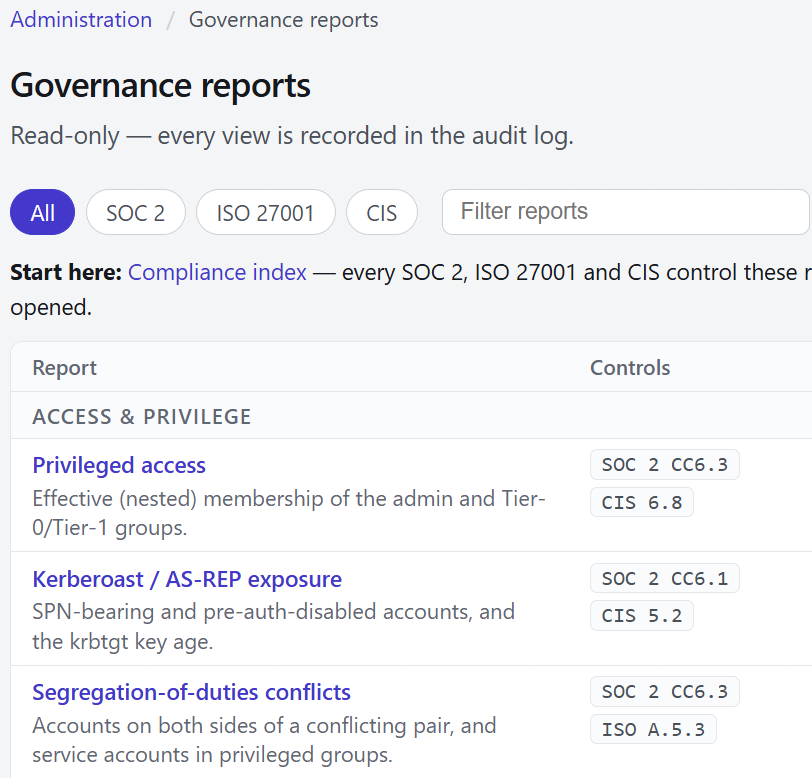
- Read-only — every view is recorded in the audit log.
- Filter by framework: SOC 2, ISO 27001 or CIS.
- Every report names the controls it evidences.
The problem
Identity is where most foundations are weakest.
Accounts created by hand and never removed. Passwords reset by ticket. Remote access through a shared VPN. Admin rights spread quietly. When someone asks who has access to what, the answer is a spreadsheet.
Four jobs, one platform
Four jobs that usually need four products.
Self-service identity
Reset, unlock, MFA enrolment and recovery, with no help-desk ticket.
Zero-trust access
Device certificate, directory login and one-time code in one connection; least-privilege by segment.
AD administration
A full view of each user, tiered admin over a hardened Active Directory, an internal certificate authority, centralised secrets.
Identity governance
Control-mapped reports, separation of duties, PKI health, a tamper-evident audit trail.
One deployment. One source of truth. One audit trail.
Zero-trust access
Three checks at every connection.
A remote session opens only when all three pass in one handshake. Steal one, and you still have nothing.
- 01 · DEVICEDevice certificate
- 02 · IDENTITYDirectory login
- 03 · POSSESSIONOne-time code
- 04 · REACHOnly what you’re entitled to
- 05 · HOSTLogin on the machine itself
Fail check 1, 2 or 3: not connected. Fail 4: connected, but that destination is unreachable. Fail 5: reachable, but the login is refused.
Users land on a segmented network that reaches only what they're entitled to — never the identity core.
A day in the life
From joiner to leaver, governed at every step.
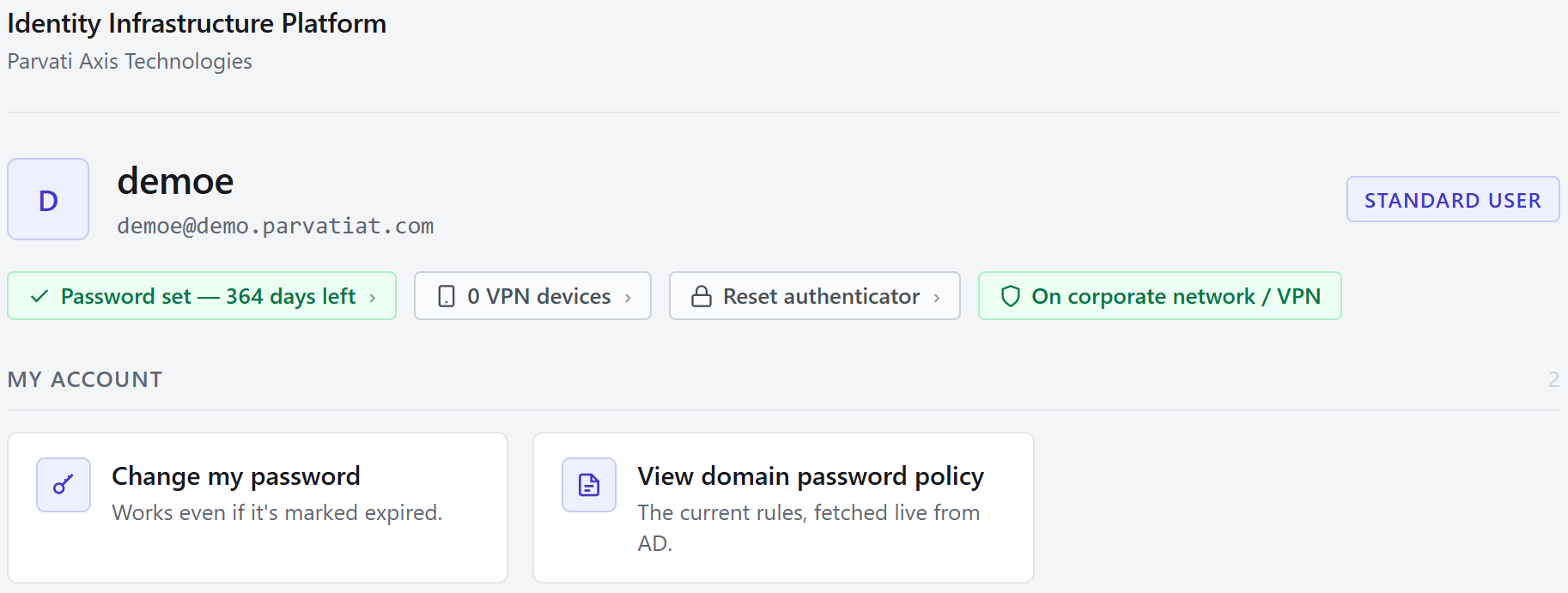
- Password status at a glance — days to expiry, one click to change it.
- Change your own password — even one already marked expired. No help-desk ticket.
- Shows whether you’re on the company network or VPN.
What your admins get
One console to run, govern and prove it.
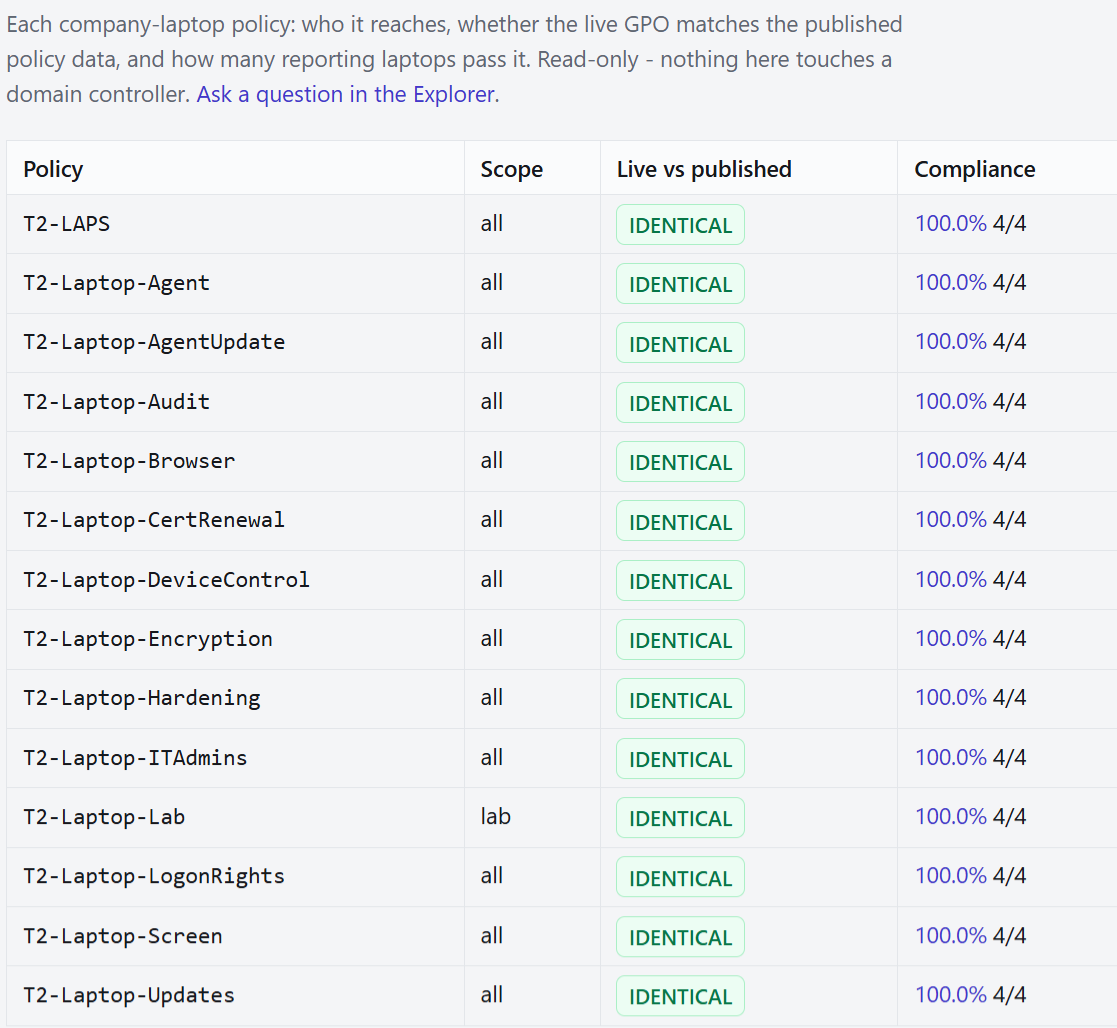
- Read-only — nothing here touches a domain controller.
- The live policy matches the published policy data.
- Compliance per policy, from the laptops that report in.
For your security team
The evidence and build detail a security review asks for.
Evidence
Audit evidence you can hand to your auditor.
Read-only reports, each mapped to SOC 2, ISO 27001 and CIS controls. Every view is itself logged.
| # | Report | Shows |
|---|---|---|
| 01 | Compliance index | Every control the reports evidence, with export and last review |
| 02 | Service accounts & rotation | Type, password age, rotation vs policy |
| 03 | User password age | Age, policy max-age, days to expiry |
| 04 | Privileged access | Effective (nested) admin and Tier-0/1 membership |
| 05 | Stale & disabled accounts | Inactive, disabled-but-present, never used |
| 06 | Password-policy exceptions | Weak default policy, never-expire flags |
| 07 | HR reconciliation | Accounts with no HR record; HR records with no account |
| 08 | Kerberoast / AS-REP exposure | Risky SPN and pre-auth settings, krbtgt key age |
| 09 | Separation-of-duties conflicts | Accounts on both sides of a conflicting pair |
| 10 | Trusted devices | Enrolled VPN devices with owner and type |
| 11 | Company laptops | Owner, OS, lifecycle, certificates and expiry |
| 12 | Password & security policies | Every policy in force and what it applies to |
| 13 | Audit log | Logins, resets, unlocks, report views |
How it's built
Built the way a security review expects.
See it running.
A 45-minute live walkthrough: self-service, zero-trust access, devices and governance reports.